
Eyestrain, fluctuating vision, headaches, and discomfort after screen use do not prove that a computer caused the problem. By the end of the checkup, you should know which history questions, vision measurements, surface checks, and additional tests help separate digital eye strain from a prescription issue or another eye condition.
Key takeaways
- Describe when symptoms start and whether they improve away from screens.
- Bring your current glasses and explain your daily screen distance and duration.
- Expect checks for vision, prescription, focusing, alignment and the eye surface.
- Book an eye clinic visit for persistent symptoms, vision changes or eye pain.
How the checkup begins: your symptoms and screen routine
At a computer vision syndrome eye for checkup in Lower Parel, the ophthalmologist begins with your symptom history, not a single machine test. Explain when discomfort started, whether it appears during near work or distance viewing, and whether it improves after you leave screens.
You may be asked about:
- Daily screen hours, device type, viewing distance, font size, room lighting, reflections, glare, breaks, and blinking
- Contact-lens use, spectacles, medications, and health conditions linked with dry eye
- Whether the image blurs, fluctuates, doubles, or stays unclear after blinking
- Headaches, neck or shoulder pain, light sensitivity, and symptoms that continue without screen use
Screen use alone does not prove that computer vision syndrome caused your symptoms. This history helps the clinician decide whether to investigate:
- Uncorrected refractive error or presbyopia
- Dry eye disease or contact-lens-related irritation
- Migraine or binocular-vision problems
- Glaucoma, retinal disease, or another cause
Seek prompt ophthalmic assessment instead of routine self-treatment for severe pain, sudden vision loss, new double vision, a red eye with reduced vision, flashes, or a sudden increase in floaters. Symptoms that continue independently of screen use also need medical review, because they do not fit simple screen-related discomfort.
Which vision measurements and prescription checks are included
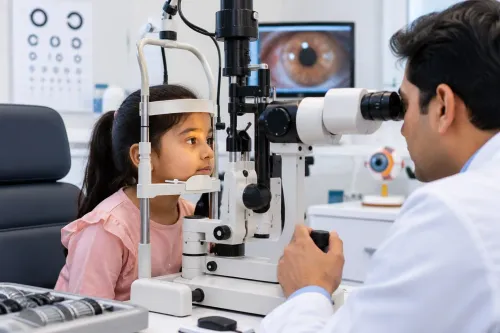
A computer eye strain checkup in Lower Parel normally starts with distance visual acuity using an eye chart, followed by near visual acuity at a reading distance. The clinician compares each eye separately and both eyes together, then relates the result to your actual screen and reading distance.
| Test | What it measures | Why it matters |
|---|---|---|
| Distance visual acuity | Clarity at far range | Detects reduced distance vision |
| Near visual acuity | Clarity at reading range | Finds near difficulty despite good distance vision |
| Refraction | Short-sightedness, long-sightedness, astigmatism, presbyopia | Identifies an uncorrected or outdated prescription |
| Binocular vision | How both eyes work together | Checks whether the image stays single and comfortable |
Refraction is performed when your history or results point to a prescription problem. Acceptable distance vision does not rule out a near prescription or a separate occupational correction for prolonged screen work.
Bring or report:
- Your current spectacles and computer-work prescription, if you have one
- The screen distance and symptoms that appear only after several hours
- Contact-lens wearing time, lens material, cleaning routine, and recent discomfort
For contact-lens wearers, the clinician may examine the cornea and decide whether glasses or reduced lens wear is safer during a flare. Blue-light filtering glasses do not correct refractive error and cannot replace these measurements.
How focusing, eye alignment, and the eye surface are assessed
These tests are selected when symptoms suggest a focusing or eye-teaming problem, not automatically performed for every patient. Accommodation measures your ability to focus clearly at near, while convergence measures the inward movement needed to keep a near target single.
| Test area | What the clinician checks | What you may notice |
|---|---|---|
| Focusing and convergence | Near focus, inward eye movement, and the ability to shift between a screen-distance target and a distant target | Blur, strain, or the point where a near image doubles |
| Eye alignment and binocular vision | Whether both eyes maintain one image during sustained near work | One image breaking into two or difficulty following a moving object |
| Ocular surface | Cornea, conjunctiva, tear-film stability, tear volume when indicated, eyelid margins, and meibomian glands | Burning, dryness, fluctuating vision, or discomfort after blinking |
You may be asked to follow a moving object, change focus between distances, or report exactly when a near target blurs or doubles. This helps distinguish a focusing or binocular-vision issue from symptoms caused mainly by the ocular surface.
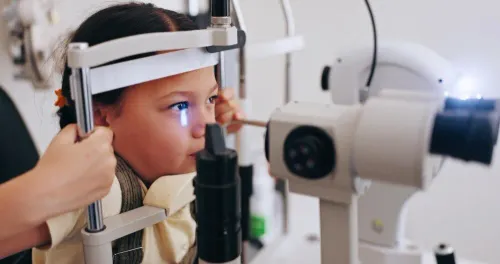
A slit-lamp examination can reveal surface irritation and eyelid-gland dysfunction. The clinician also looks for reduced or incomplete blinking during screen work, which can worsen tear evaporation.
The findings from a digital eye strain consultation in Lower Parel guide treatment: prescription changes, distance-viewing breaks, deliberate blinking, warm compresses and lid care, lubricating drops, or another approach.
Use lubricating drops at the recommended frequency. Frequent use of preserved drops can irritate some patients.
When pressure checks, pupil dilation, or retinal examination are needed
A computer vision syndrome assessment in Mumbai is broader than a single eye-pressure reading and narrower than a full medical eye examination unless your findings require one. Tonometry measures intraocular pressure; it does not diagnose computer vision syndrome or replace visual-acuity, refraction, focusing, binocular-vision, and ocular-surface checks.
The clinician adds tonometry when your age, symptoms, examination findings, family history, or other glaucoma risk factors make pressure assessment relevant. A normal result does not explain every cause of blurred vision or headache.
Pupil dilation may be recommended when blurred vision or headache requires a closer look at the retina or optic nerve. It is also appropriate when symptoms do not match straightforward screen-related strain or when you have relevant medical or eye risk factors.
Retinal scans, visual-field testing, and other imaging are not routine for uncomplicated screen discomfort. They are added when the history or examination indicates a need to investigate disease beyond digital eye strain.
The assessment must keep other explanations in view:
- Migraine
- Corneal disease
- Retinal disease
- Glaucoma
- Presbyopia
- Uncorrected refractive error
Seek timely ophthalmic assessment for symptoms that continue away from screens, sudden visual changes, marked light sensitivity, flashes, or new floaters. A focused checkup should identify when broader testing is justified rather than treating every symptom as a screen problem.
What to do after the assessment and when to book an eye clinic visit
Ask for a written prescription, the working distance it suits, the reason for any dilation or pressure test, and the exact follow-up interval. If the findings show uncomplicated digital strain, use this checklist:
- Place the screen 20 to 28 inches away and slightly below eye level.
- Reduce reflections and glare; use comfortable room lighting.
- Enlarge text instead of leaning closer.
- Blink deliberately during screen work.
- Follow the 20-20-20 rule: look about 20 feet away for 20 seconds every 20 minutes.
These changes reduce visual demand and awkward posture, but they do not correct an uncorrected prescription or treat eye disease. Blue-light glasses are not a substitute for treatment matched to a surface problem, focusing issue, contact-lens problem, or another diagnosis.
Book a specialist visit when symptoms continue despite these adjustments, when you need prescription assessment alongside medical evaluation, or when the findings require pressure measurement, dilation, retinal assessment, or other testing. Clarity Eye Clinic-Dr.Nikita Mashru in Lower Parel can be considered when your symptoms need that broader assessment rather than a glasses-only check.
Seek prompt ophthalmic care for sudden vision loss, new double vision, severe eye pain, a red eye with reduced vision, flashes, or a sudden increase in floaters. Take your spectacles, contact-lens details, medication list, and a typical description of your workday.
Related service
CORNEA CARE by Dr. Nikita Mashru Cornea Care at Clarity Eye Clinic, Lodha Signet, Lower Parel, Mumbai, focuses on the diagnosis, evaluation, and management of... View service → |
Frequently asked questions
What happens first during a computer vision syndrome eye checkup in Lower Parel?
The ophthalmologist asks when discomfort began, whether it occurs during near or distance viewing, and whether it improves after screen use ends.
Which measurements are included in a computer eye strain checkup in Lower Parel?
The assessment can include distance and near vision, refraction for your prescription, focusing ability, eye alignment and examination of the eye surface.
Are eye pressure checks and pupil dilation needed for digital eye strain?
They are added when your symptoms, examination findings or eye history indicate a need to assess pressure, the retina or other internal eye structures.
What should you do after a computer vision syndrome assessment in Mumbai?
Follow the recommended screen-use and prescription advice, and book an eye clinic visit if symptoms persist or you develop pain or vision changes.
Keywords